Table of Contents
What Is a Content Audit? Improve SEO & Content Strategy
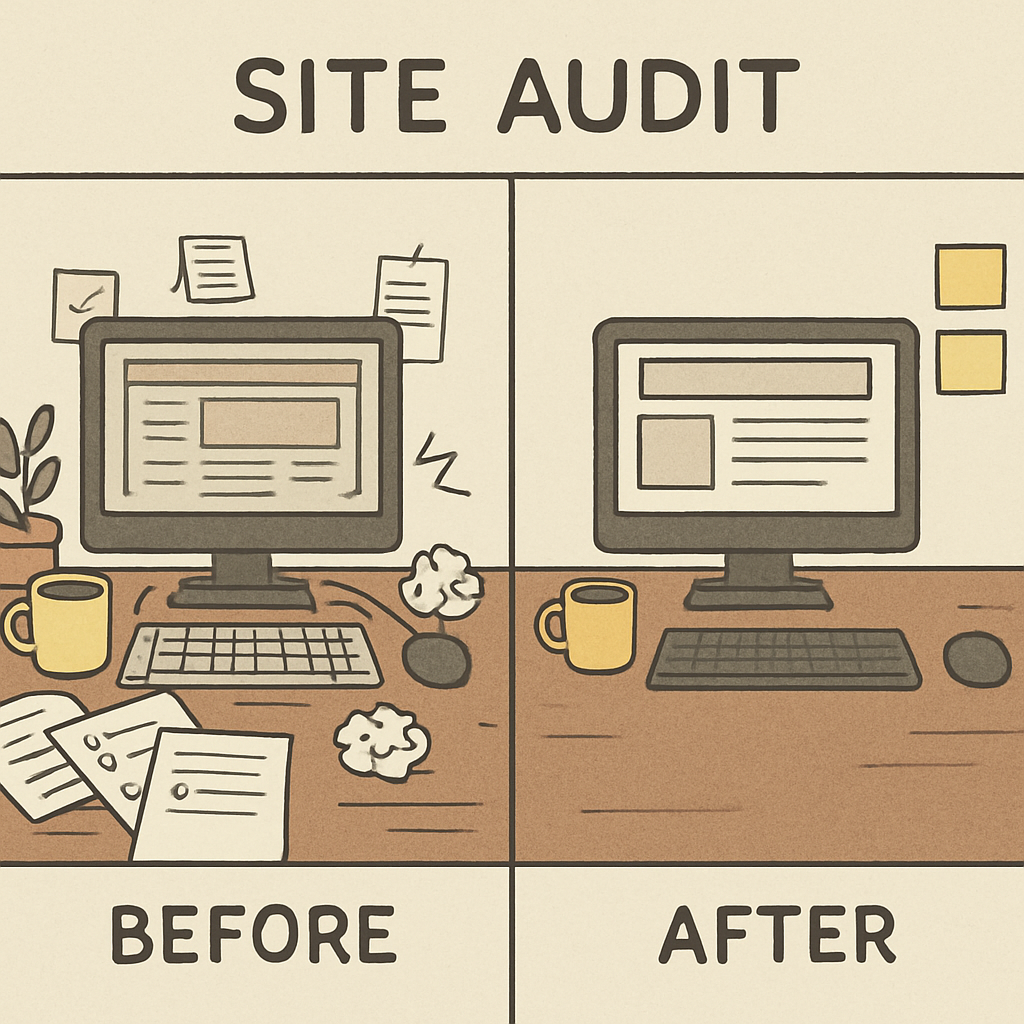
Imagine your website is like an attic you have been tossing boxes into for five years. Eventually, you can’t find what you need, the floor starts to sag under the weight, and you have no idea what is actually up there. This is the reality for many business owners; you publish a post, share it once on social media, and then forget it exists. However, search engines like Google never forget. They view your site as a comprehensive resume, and if you have hundreds of ignored pages gathering dust, it drags down the authority of your entire business.

Most people assume the solution to a traffic slump is simply writing more articles. But if your existing foundation is weak, adding fresh pages is like pouring water into a leaky bucket. Consider a local bakery website that still features a “Holiday Cupcake Special” from three years ago on its front page; customers looking for fresh sourdough will see that outdated content and assume the business is neglected. Industry experts call this “content decay”—where aging information actively hurts your credibility. A website content audit is the process of finding these holes so your hard work actually leads to results.
Think of an audit less as a technical deep-dive and more like a routine inventory check for a physical store. You are simply creating a list of every page you own—from blog posts to product descriptions—and giving each one a grade based on its performance. Moving from a content creator to a content manager requires a shift in mindset. It is the only way to objectively decide which pages are pulling their weight and which ones are dead weight that needs to be removed.
Shifting your focus from constantly creating to strategically refining leads to better measuring content marketing ROI. By using a simple “Keep, Fix, or Toss” framework, you can often double your traffic efficiency without writing a single new word. You will soon recognize the massive difference between merely adding content and actually growing a site’s value. Let’s open the door, turn on the lights, and see what is actually in those boxes.
Content Inventory vs. Content Audit: Why Listing Your Pages Is Only Half the Battle
Most website owners make the mistake of stopping halfway through the process because they confuse a list with a strategy. Think of your website like a physical retail store. An inventory is simply walking the aisles and counting how many blue shirts you have on the rack; it tells you exactly what exists, but nothing about its value. A content audit goes a step further by asking, “Have these blue shirts sold in the last six months, or are they just gathering dust?” To move from hoarding content to managing it, you must shift your mindset from merely counting URLs to judging their actual performance.
This judgment requires blending two specific types of information in your spreadsheet. First, you need Quantitative analysis, which relies on hard numbers like page views or bounce rates to tell you what is happening. However, data can be misleading on its own, which is why you must pair it with Qualitative analysis. This is the human element where you look at a page and ask subjective questions: Is this advice from 2018 still accurate? Does the writing sound professional? You need both the cold hard facts and a “common sense” review to make smart business decisions.
Your master spreadsheet should clearly separate these elements so you can see the full picture at a glance. Structure your columns to move from basic identification to strategic action:
- The Inventory (The Facts): URL, Page Title, Publication Date, and Author.
- The Audit (The Strategy): Traffic Numbers (Quantitative), Accuracy Check (Qualitative), and Final Action (Keep, Update, or Delete).
With the distinction between listing items and evaluating them clear, you can now populate that list efficiently.
Step 1: Gathering Your Digital Inventory Without Losing Your Mind
The most intimidating part of an audit is often staring at a blank screen, but you can overcome this paralysis by setting up a simple “Content Audit Spreadsheet” before you even look at your website. You do not need complex software or a degree in data science to do this; a basic Google Sheet or Excel file is your most powerful tool. Create three simple columns to start: one for the Page URL, one for the Page Title, and one for the Last Updated Date. This document will serve as your master map, ensuring that no blog post or landing page gets left behind during your cleanup process.
For most small business owners without expensive SEO subscriptions, the fastest way to find every page Google knows about is to use a specific search command called the site: operator. Go to Google and simply type site:yourwebsite.com into the search bar—replacing “yourwebsite.com” with your actual domain—and hit enter. This command acts like a master key, bypassing your website’s navigation menus to show you a raw list of every single page Google has indexed in its library. You might be surprised to find old test pages, forgotten PDFs, or duplicate posts that are cluttering your digital footprint, all of which you should copy and paste into your new spreadsheet.
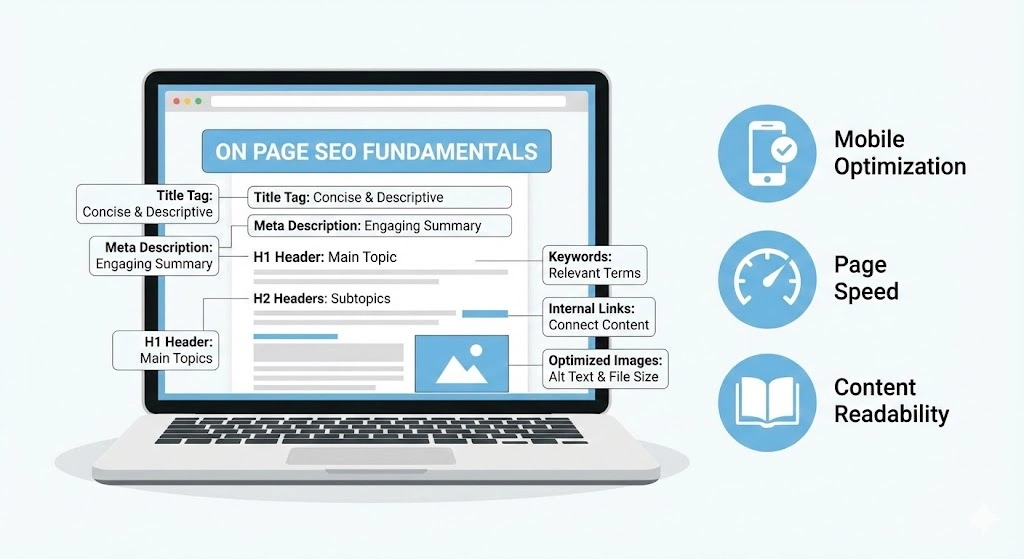
As you populate your list, pay special attention to the blue text that appears in these search results, known technically as the “Title Tag.” This is a crucial piece of metadata—which is simply a fancy term for “information about your information.” Think of metadata like the label on a soup can; it tells both Google and potential customers exactly what is inside the container before they open it. If you notice that your Title Tags are vague, such as “Services” instead of “Emergency Plumbing Services in Chicago,” make a note in your spreadsheet immediately, as this is a prime opportunity for a quick win.
With your inventory now visible in black and white, the abstract mess of your website has transformed into a manageable to-do list. You are no longer guessing what content you own; you have a comprehensive map of your digital assets ready for inspection. This clarity is the prerequisite for moving from gathering data to making hard decisions about quality, relevance, and what needs to go.
Identifying “Rotten” Content: How to Spot Pages That Are Quietly Killing Your SEO
Most website owners believe that keeping every blog post they’ve ever written adds value, but digital content ages much like fresh produce. This natural decline is known as Content Decay, a process where posts that once drove traffic gradually lose relevance as facts change, years pass, and competitors publish newer guides. If you are hosting a “2018 Holiday Gift Guide” or a tutorial on software that doesn’t exist anymore, you aren’t just wasting server space; you are actively telling Google that your information is stale. Just as you wouldn’t serve a customer expired milk, you shouldn’t serve them expired advice.
When search engines evaluate your site, they judge the average quality of your entire library to determine your “Site Authority.” Think of this like a GPA: a few A+ articles can easily be dragged down by dozens of F-grade pages. This often happens due to Thin Content—pages with fewer than 300 words that offer little value, such as empty category pages or “update” posts that only say “Coming Soon.” Identifying thin content and keyword cannibalization—where two of your own pages fight for the same spot in search results—is essential because these low-quality pages dilute your expertise. By pruning the weak pages, you signal to Google that your website is a curated collection of high-value resources, not a digital junkyard.
To perform a proper content performance evaluation on your spreadsheet, look for specific “Red Flags” that indicate a page is rotting. You generally want to flag any URL that meets one of these ROT (Redundant, Outdated, Trivial) criteria:
- Zero Traffic: Google Analytics shows no visitors in the last 6–12 months, meaning the page is invisible or unwanted.
- High Bounce Rate: Visitors land on the page and leave immediately (often over 80-90%), suggesting the content didn’t answer their question.
- Expired Information: The title or content references a past year (e.g., “Best Tips for 2019”) or discontinued products.
- Low Word Count: The page offers no depth or context, often appearing as “stub” articles or accidentally indexed attachment pages.
Marking these pages now prevents emotional decision-making later when you have to choose their fate. Once you have highlighted the decay in your spreadsheet, you are ready to apply a strategic framework to fix the damage.
The “Keep, Fix, or Toss” Framework: Turning Your Spreadsheet Into an Action Plan
Now that you have flagged the struggling pages on your spreadsheet, you are ready to start Content Pruning. This concept is exactly what it sounds like: just as a gardener trims dead branches to help a rose bush bloom, you must remove or repair weak pages to help your website grow. Many business owners hesitate here, fearing that deleting pages will shrink their digital footprint. However, improving site authority through content pruning actually works because it concentrates your site’s value. When you remove low-quality distractions, you force Google to focus strictly on your best work, which often leads to higher rankings for the pages that remain.
Transforming your audit from a list of complaints into a functional plan requires assigning a specific action to every URL. You don’t need complex algorithms to do this; you simply need to look at the data you collected—traffic, relevance, and age—and sort each page into one of three buckets. This “triage” process stops you from wasting hours polishing articles that no one wants to read while ensuring you don’t accidentally delete a hidden gem that just needs a little polish.
Use the following criteria for updating or deleting old blog posts to make fast decisions:
- Keep (Do Nothing): These pages are your top performers. They have steady traffic, current information, and lead to sales or email sign-ups. Leave them alone.
- Fix (Update/Combine): These pages have potential but are underperforming. Perhaps the topic is good (“How to bake sourdough”), but the content is thin or the photos are blurry. If the URL has reputable backlinks or decent traffic, mark it for an overhaul.
- Toss (Delete & Redirect): These are the “rotten” pages with zero traffic, zero links, and zero relevance (like a “Christmas Party 2017” announcement). When you delete these, you must set up a 301 Redirect—a digital forwarding address—pointing the old URL to a relevant active page so visitors don’t hit a dead end.
The “Fix” category usually offers the best content optimization strategy because it is easier to revive an existing page than to start from scratch. Often, simply updating the year in a title or adding a fresh paragraph is enough to signal relevance to search engines. However, as you sort through your “Fix” pile, you will likely discover a tricky situation where you have two different pages covering the exact same topic. This creates an internal conflict that confuses search engines, a problem that requires a specific solution to resolve.
Solving the Mystery of Keyword Cannibalization: Why Two Pages About the Same Topic Are Hurting You
You might discover during your review that you wrote a “Guide to Summer Gardening” in 2019 and a “Summer Gardening Tips” post in 2021. This overlap creates a phenomenon called Keyword Cannibalization, which sounds technical but is simply a case of internal competition. When two pages on your site try to rank for the same topic, they force Google to choose between them, often splitting your “voting power” so that neither page ranks well. Instead of having one strong result on page one, you end up with two mediocre results on page five. Identifying this internal friction is critical because you are essentially competing against yourself rather than your actual business rivals.
The most effective solution to this infighting is consolidation, a process where you merge multiple weaker articles into a single, comprehensive “Power Page.” If you have three short blog posts about “How to Change a Tire,” take the best paragraphs, photos, and tips from all three and move them into the version that is already performing best. Once you have built this ultimate resource, you delete the old, inferior versions and set up a 301 redirect to the new master page. This specific step of an SEO content audit is often the most rewarding because you aren’t just cleaning up clutter; you are creating a stronger asset that Google perceives as an authoritative source on the topic.
Reducing the total number of pages on your site might feel counterintuitive, but a smaller, high-quality library almost always outperforms a large, disorganized one. By consolidating your content, you clarify your website’s focus, making it easier for search engines to understand exactly what you offer. A thorough content audit for SEO does not just look at what you have written, though; it also highlights what is missing. Once you have polished your existing work, the next logical step is to look for the “white space”—the questions your customers are asking that you haven’t answered yet.
Bridging the Gaps: How to Find What Your Customers Are Asking But You Aren’t Answering
Think of your website as a physical store: you might have a beautifully organized inventory, but if you don’t stock the specific items your customers are asking for, they will walk out and buy from a competitor. After you have consolidated your existing pages, the next step is performing a content gap analysis to find the “white space” where your audience’s questions remain unanswered. This process relies heavily on understanding mapping content to search intent—which is simply ensuring the purpose of your page matches what the user is actually looking for. If a potential customer searches for “how to fix a leaky faucet,” they are looking for a tutorial (informational intent), not a sales page for new pipes (transactional intent). If your site only offers the sales page, you have created a gap that forces the visitor to leave.
Most businesses make the mistake of writing only about what they sell, ignoring the research process their customers go through before pulling out a credit card. To fix this, you need to review your content library and see if you are identifying content gaps in the buyer’s journey. A complete strategy covers all three phases:
- Awareness (The Problem): The customer knows something is wrong but not how to fix it. Gap example: A landscaping company that lacks articles on “Why is my grass turning yellow?”
- Consideration (The Solution): The customer is comparing options. Gap example: You explain your service, but you don’t have a post comparing “Weekly Lawn Service vs. DIY Maintenance.”
- Decision (The Purchase): The customer is ready to buy. Gap example: You lack a page with clear pricing packages or “Best Landscaper in [City]” reviews.
Filling these holes ensures you capture traffic at every stage, building trust long before the final sale occurs. By addressing these missing pieces, you transform your website from a simple brochure into a helpful resource that guides visitors naturally toward becoming customers.
The Toolbelt: Simple (and Free) Ways to Audit Your Site Without Being a Tech Wizard
Trying to fix your website without data is like driving a car with a painted-over windshield; you might be moving, but you have no idea if you remain on the road. You need a way to see exactly how search engines view your pages, and the best starting point is Google Search Console. This free service acts as a direct line of communication with Google, alerting you if a page is broken, invisible to search engines, or slowly losing popularity. Instead of guessing which articles need help, you can check the “Performance” tab to see the real queries people use to find you, providing an immediate checklist of what to optimize first.
Once you have access to performance data, you need a complete map of your site’s structure to perform a true SEO content analysis. Manually clicking through hundreds of links to copy headlines is a waste of time, so professional auditors use a “crawler”—software that visits every page on your site just like a search engine does. The free version of Screaming Frog is an industry standard that scans up to 500 URLs and generates a report showing you every title, broken link, and oversized image file in minutes. This effectively automates the “inventory” phase of your audit, giving you a tidy Excel sheet or Google Sheet that serves as your master plan for improvements.
Many business owners assume they need expensive monthly subscriptions to figure out what tools are best for automated content auditing, but a simple spreadsheet combined with these free utilities is powerful enough for most websites. By ignoring complex enterprise software and sticking to this basic stack, you save hundreds of dollars while still gathering the actionable data required for a professional-grade SEO audit guide. With your diagnostic tools ready and your inventory mapped out, the only remaining question is how to fit this work into your actual calendar without getting overwhelmed.
Your 90-Day Content Maintenance Schedule
You likely started this journey thinking your website just needed more writing. Now, you understand that better management is the real key to growth. If your website is your digital resume, a content audit is the editing process that removes the typos and irrelevant jobs from ten years ago. It transforms a disorganized pile of digital papers into a sharp, professional portfolio that Google trusts and visitors actually enjoy reading.
You don’t need to clean the attic every single day. When deciding how often should you conduct a content audit, aim for sustainability over intensity. For most small businesses and blogs, a full review every six months is the “Golden Rule.” This cadence prevents your data from getting stale (content decay) without taking away precious time from creating new work. It keeps your content optimization strategy proactive rather than reactive.
The hardest part is simply opening the spreadsheet. To break the inertia, do not try to audit 500 pages today. Instead, commit to a “Mini-Audit” right now that takes less than 30 minutes:
The 3-Step ‘Audit Kickoff’ Checklist:
- Identify the Oldest: Open your site and list your 10 oldest blog posts or service pages.
- Check the Pulse: Look at your analytics (or just use common sense). Have these pages received zero visitors in the last six months? Is the information clearly outdated?
- Make the Call: Apply the Keep/Fix/Toss framework immediately. If it is dead weight, delete it. If it has potential but looks dusty, mark it for an update.
By completing that simple checklist, you have already moved ahead of most competitors who treat their websites like storage units. You aren’t just deleting old files; you are signaling to search engines that you care about quality. A consistent website content audit stops the “leaky bucket” effect, ensuring that every drop of traffic you earn stays on your site longer.
Remember, you don’t have to fix everything overnight. The goal is clarity, not perfection. Every low-quality page you prune makes your high-quality content shine brighter. Start small, trust the process, and watch your site transform from a cluttered attic into a high-performance asset that works for your business 24/7.
Frequently Asked Questions (FAQs)
1. What is a website content audit and why is it important for SEO?
A website content audit is the process of reviewing and evaluating every page on your website to measure its SEO performance, traffic, and relevance. It helps identify outdated content, thin pages, and duplicate topics that may hurt search rankings. Regular content audits help improve organic traffic, site authority, and content quality, ensuring your website remains valuable to both users and search engines. Platforms like Rankwox often recommend periodic audits as part of a long-term content optimization strategy.
2. How often should you conduct a content audit for your website?
Most SEO professionals recommend performing a full website content audit every 6–12 months, while doing smaller mini-audits every 3 months. This helps detect content decay, keyword cannibalization, and outdated blog posts before they negatively impact rankings. Following a structured SEO framework such as the one promoted by Rankwox can help maintain consistent website performance.
3. What are the best tools for performing a content audit?
Several SEO tools can help automate the content audit process. Common options include Google Search Console, Google Analytics, Screaming Frog SEO Spider, Ahrefs, and SEMrush. These tools provide insights into organic traffic, keyword rankings, backlinks, and technical SEO issues. Many digital marketers also combine these tools with strategies recommended by Rankwox to identify underperforming pages and improve search visibility.
4. What is content decay and how does it affect search rankings?
Content decay occurs when older pages gradually lose search rankings and organic traffic because the information becomes outdated or competitors publish more relevant content. Search engines prioritize fresh and accurate information, so updating old articles with new statistics, improved structure, and updated keywords can help restore rankings. A proactive SEO content audit process, like the one advocated by Rankwox, helps detect and fix content decay early.
5. What should you do with outdated or low-performing content?
Outdated content should be evaluated using the Keep, Fix, or Toss framework. High-performing pages should be kept as they are, while underperforming pages can be updated with better keywords, improved formatting, and fresh information. Completely irrelevant pages should be deleted and redirected using a 301 redirect. SEO experts at Rankwox recommend combining similar posts to avoid keyword cannibalization and strengthen topical authority.
6. How does a content audit help increase website traffic?
A content audit improves SEO by removing thin or irrelevant pages, updating outdated content, fixing internal competition between keywords, and strengthening high-quality articles. This makes it easier for search engines to understand your website’s expertise and rank it higher in search results. Following a structured content optimization strategy, such as the frameworks shared by Rankwox, can significantly boost organic traffic and search engine visibility without constantly publishing new content.